Route Group Creation:
Step1: Login to CUCM admin> Call Routing > Route\Hunt> Route Group.

Step2: Click Add New
- Enter Route Group Name
- In Route Group Member Information> Select Available Device to add in route group
- Click Save

Route List creation:
Step 1: Login to CUCM admin> Call Routing > Route\Hunt> Route List
Step 2 : Add new
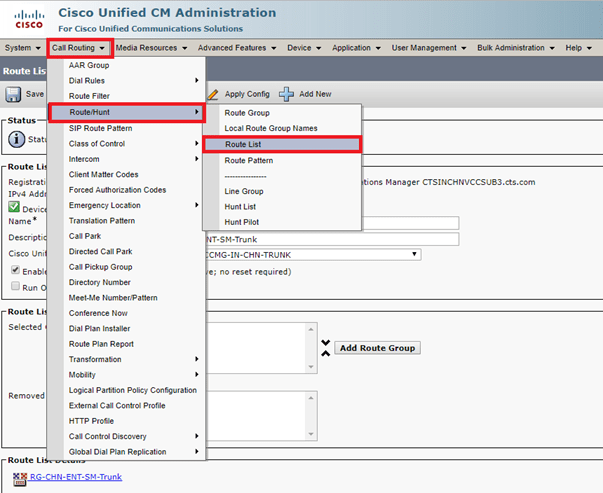
Step 3: Enter Name, Descriptiom, Cisco Unified Communications Manager Group
Step4: Click Save and Apply Config

Route Pattern creation:
Step 1 : Click on Call Routing> Route/Hunt> Route Pattern
Step 2 Add new

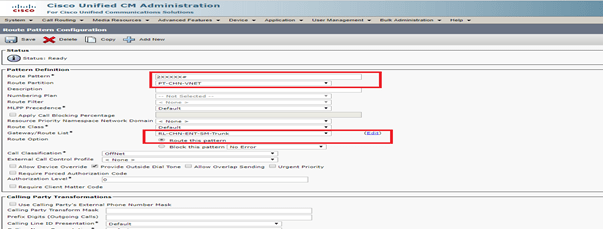
Step 3: Enter Route Pattern
Step 4: Select Route Partition
Step 5 :Select Gateway/Route list to route the call
Step 6 : select Route Option “ Route this pattern”
Step 7: Click Save and Apply Config
 Network Solutions